
AWS Lambda monitoring mechanism using SNS

13+ Years of experienced as Full Stack Developer. Also worked as architect for building solutions and product to help for automation. Solution-oriented and hands-on technical utility player. Having experience of more than 4 years of experience in E commerce and finance in each domain. Experience in having driving business automation, marketing using technology. Strong follower of open source technology. Used PHP, Python, AWS and Angular as technology stack to build product
Hello Devs,
I am going to tell you about AWS Lambda monitoring failure or success mechanism using SNS and email notification. Let's understand first background behind this.
Few months back, i developed one AWS Lambda code using Python. It was working perfect fine. I used one 30 days trial API for testing purpose. Generally API vendor keep sending reminder about expiring free trial period. On last day i didn't get mail or somehow i forgot to check my mail. Due to expiry of API service lambda service stop working this i got to know some of user respond back with failure of service. Then i stared exploring about how should i get information about any kind of failure if something happen wrong in execution of lambda.
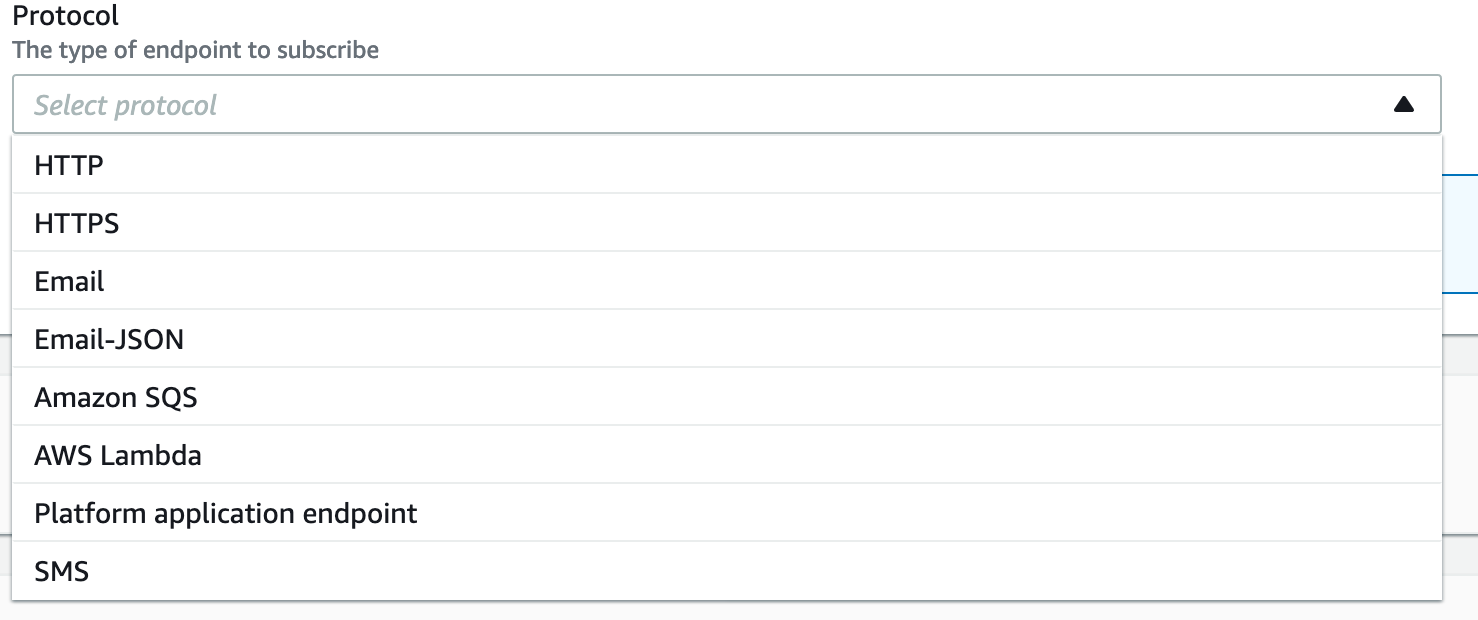
After reading AWS SNS documentation, I found interesting thing about AWS is they introduced lambda trigger end point to SNS services which has multiple communication end point to subscribe like email, SMS, Web hook , External endpoint etc. 👇🏻
Lets start how to do this ?
Architecture flow diagram :

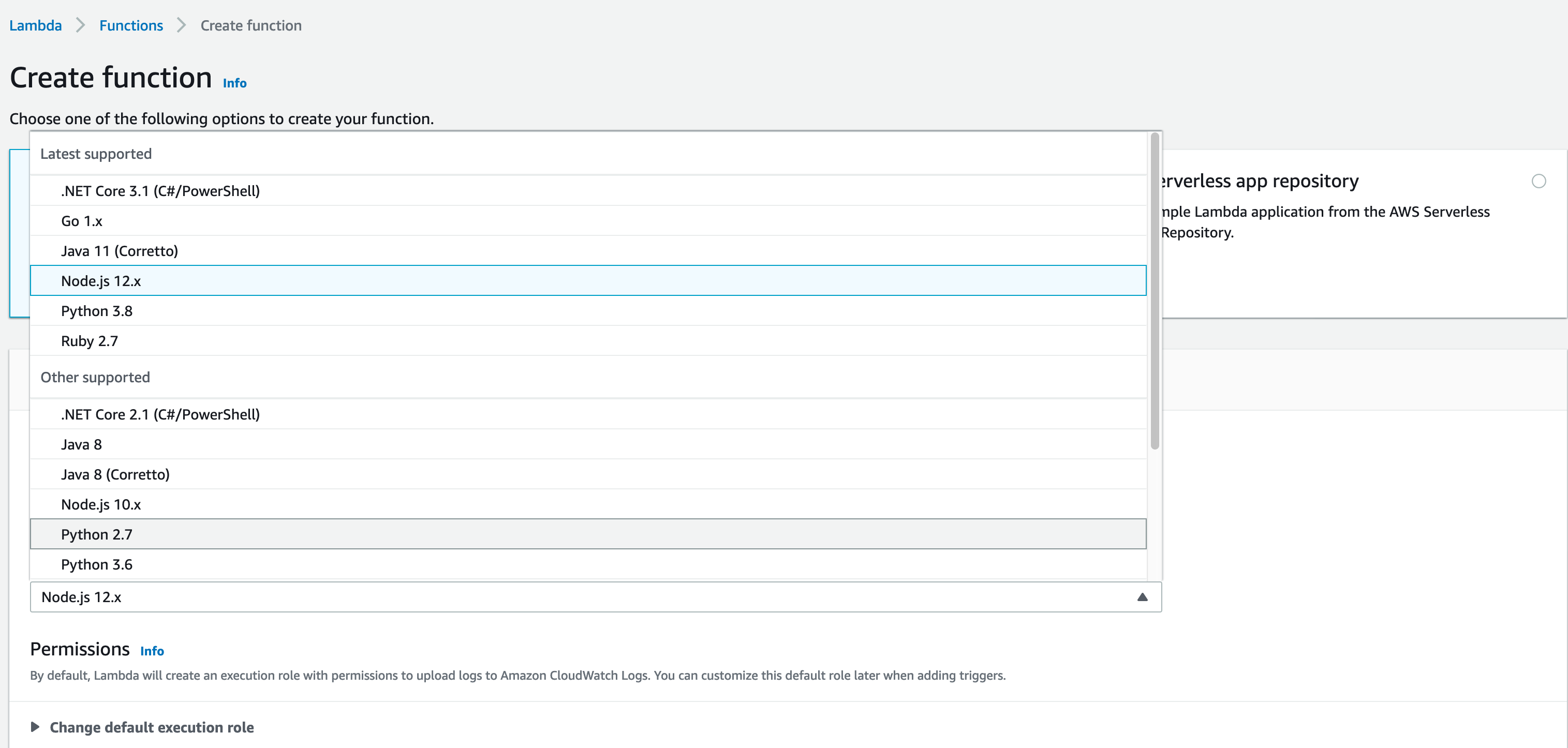
- Create lambda - can use any language like Python, Node, GoLang etc.
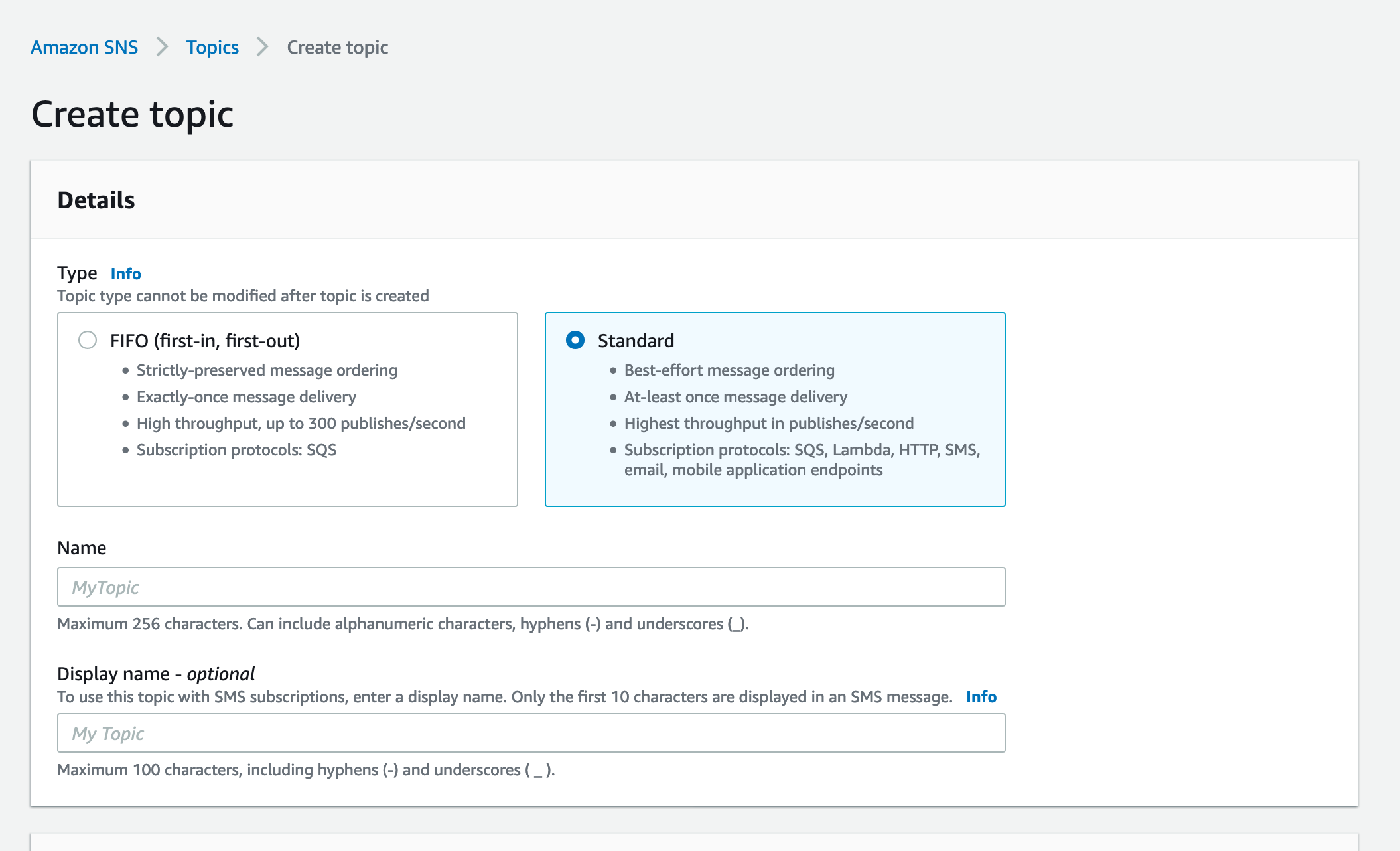
- Create SNS topic : Go to SNS -> Create Topic -> Select name and display name -> Create
- Creation subscription for topic: Select Topic -> Create subscription-> Select protocol show in above image-> Create
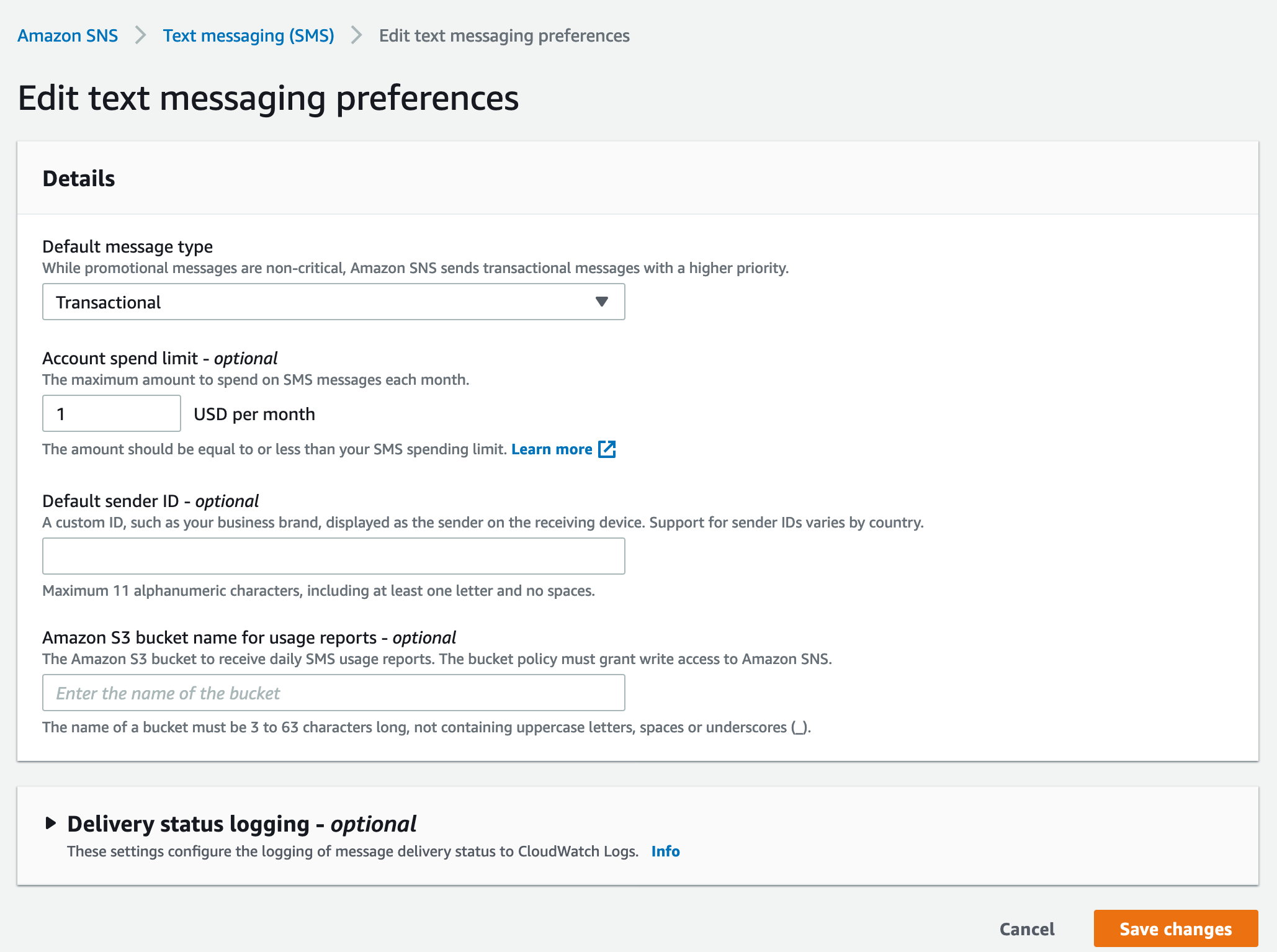
- Go to SNS -> Mobile -> Text Messaging -> Text messaging preferences -> Edit -> Add budget per day ( $1 per day ) SMS pricing
- Make sure lambda execution role has access to publish to SNS topic.
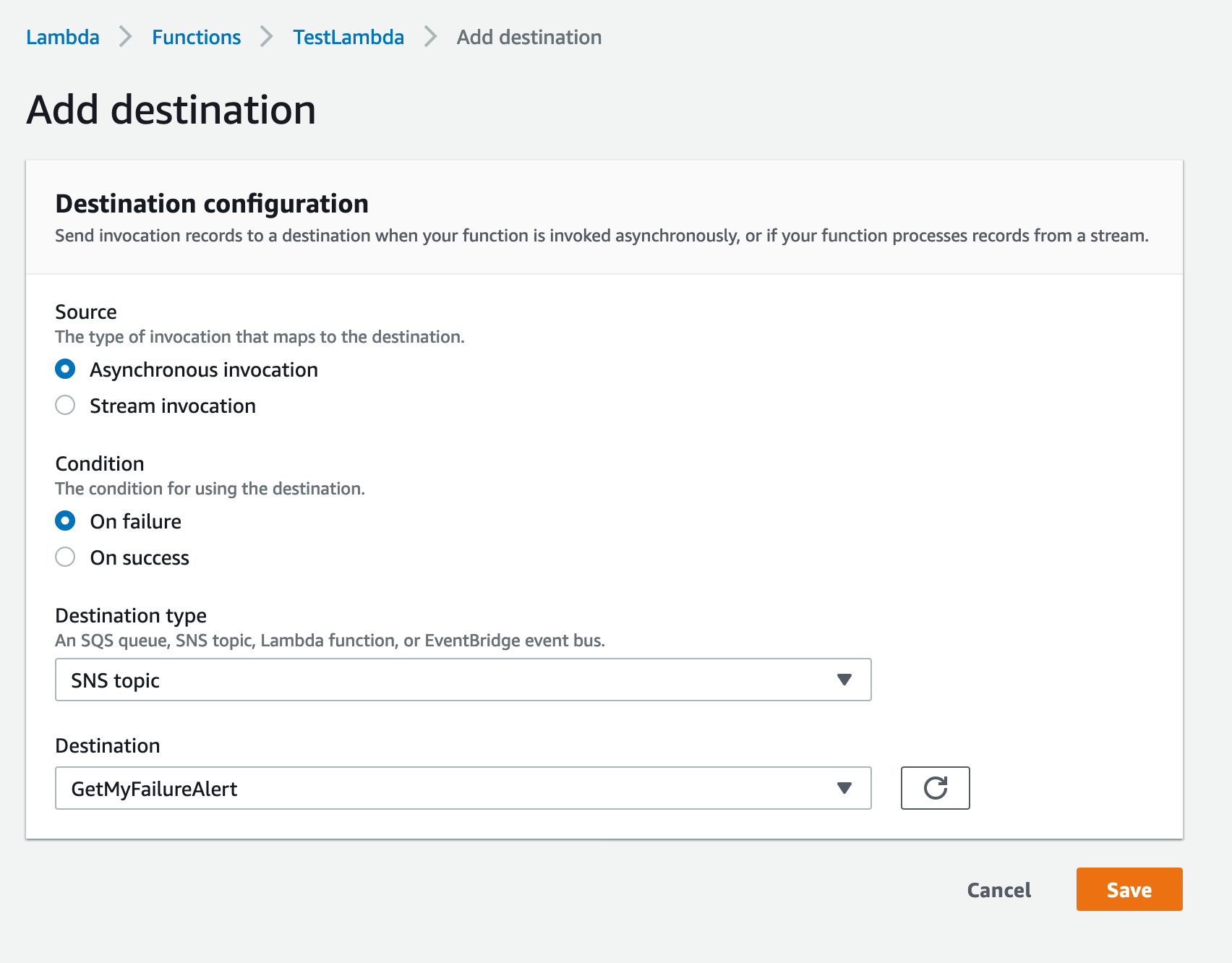
- Go to lambda -> Add Destination -> Asynchronous invocation -> Select Success or Failure -> Destination as SNS -> Select topic
They we are done! 👍🏻
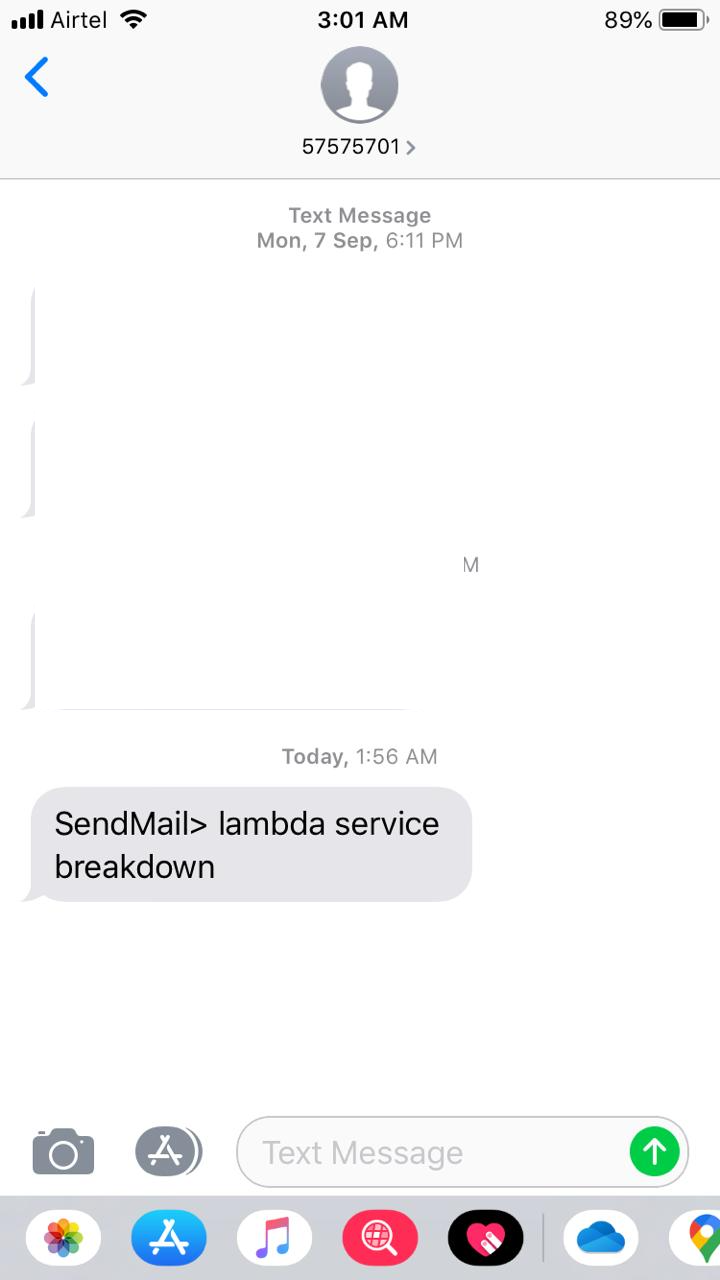
Sample SMS text :
Demo Video :
Thanks for reading article. Share your valuable feedback and suggestions! Don't forget like, share and subscribe.


